PNC Mobile
- 4.5
- Rating
- 10.00M
- Installs
- Free
- Price

 Analysis by App-foxy
Managing a bank account from a phone sounds simple until the moment you need to check a payment, locate an ATM, or move money while you are away from a computer. I spent time using PNC Mobile with that practical question in mind: does it make everyday banking easier when the quality of your connection changes from place to place? My impression is positive, especially for PNC customers who want quick access to their accounts and nearby banking locations, although the experience is naturally tied to having a working internet connection.
This is a free finance app from PNC Bank, N.A., available for Everyone and built for Android devices running at least Android 9. It has been around since July 30, 2010, and its current version is 4.62. The app has reached over ten million installs, with an average rating of 4.6 from roughly 304 thousand ratings and about 117 thousand written reviews. Those figures suggest that it has become a familiar tool for a large number of PNC customers, but popularity alone does not tell me whether it is comfortable to use during a rushed commute or in a weak-signal building. That is where the real test begins.
How PNC Mobile feels when your connection is doing the work
I find PNC Mobile most useful when I treat it as a live connection to my banking rather than a screen that can answer questions offline. That changes how I plan quick checks: I look for a reliable signal before relying on an updated account view, then use the result to decide what to do next. From there, it helps to consider how location searches and other everyday handoffs fit into that same workflow.
You May Also Like

 Blood Strike: 2.5 Anniversary
Blood Strike’s Loadouts Turn Every Drop Into a Tactical Gamble
A close look at Blood Strike’s custom loadouts: how fast access to signature weapons reshapes its battle royale rhythm, rewards preparation, and narrows the gap between fights.

 Pandora - Music & Podcasts
Pandora’s Music Is Easy to Start, but Harder to Recover
Pandora’s strength is its low-effort path from a seed to a station. Its weak spot is how much confidence it asks you to place in connection, setup, and quiet recovery.

 8 Ball Pool
 Is Built on Rivalries, Rematches, and Routine
A close look at the rivalries, rematches, shared routines, and unanswered safety questions that turn a quick pool match into a persistent mobile community.

 Samsung Music
’s Quiet Strength Is Playing What You Already Own
Its reach comes less from spectacle than from dependable access to a personal library. That simplicity is both the app’s strongest retention engine and its ceiling.

 AccuWeather: Weather Radar
AccuWeather Review: A Quick, Clear Forecast for Everyday Decisions
For everyday plans, the best forecast is the one you can understand quickly. AccuWeather makes rain timing, radar, and local conditions easy to act on, with a few trade-offs.

 Hill Climb Racing
Why Hill Climb Racing Still Turns Crashes Into One More Run
A tiny car, a bumpy hill and one more upgrade: Hill Climb Racing keeps resurfacing because its simple chaos makes every near-miss feel personal.
More From Our News Desk
View All News


Routine banking is quick when the network cooperates
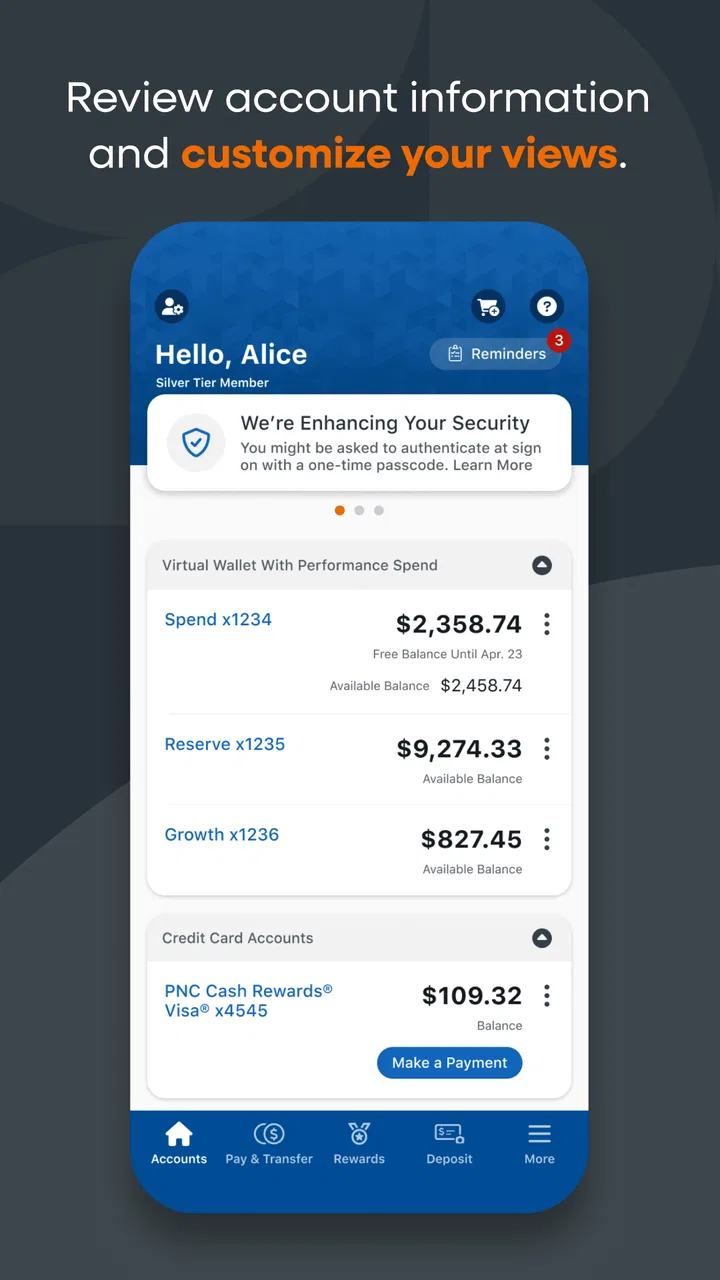
At home or on a reliable mobile connection, the app is most useful as a compact front door to a PNC relationship. I can open it when I want to look at an account rather than wait for a desktop session, and the phone format suits short checks throughout the day. This matters because many banking tasks are not planned appointments. I might want to confirm whether a recent purchase has appeared, check available funds before paying a bill, or make sure a transfer has gone through.
The important point is that the app is not just a smaller website in my daily routine. A phone is usually already in my hand, so the distance between noticing a question and checking the account is short. That convenience is strongest for small decisions: deciding whether to use a debit card, checking an incoming deposit, or verifying that a scheduled payment has not been overlooked.
Connectivity affects these moments more than the interface does. When the connection is stable, the app feels direct. When the signal is weak, the delay becomes part of the banking experience, and I become more cautious about tapping again. With financial actions, repeated taps are not harmless impatience; they can create uncertainty about whether a request was accepted. My advice is to wait for a clear result before trying again, especially when a transaction or transfer is involved.
Finding an ATM is a particularly practical use
The location feature is one of the clearest reasons to keep the app installed even if I prefer a desktop browser for longer account reviews. When I am in an unfamiliar area, searching for the nearest branch or ATM from the same banking tool is more useful than opening a general map and trying to distinguish relevant locations from unrelated results. It keeps the task connected to the PNC relationship instead of making me switch between several services.
This is also where network conditions can change the outcome. In a busy shopping district, underground garage, highway rest stop, or large building, location searches may take longer than expected. I would not wait until I am already standing outside an ATM to discover that the phone has no dependable connection. A better habit is to check the location before leaving a place with strong service, particularly when cash is genuinely necessary.
That small change in routine is a non-obvious advantage of treating the app as a planning tool rather than only an emergency tool. If I know I will be traveling through an unfamiliar neighborhood, I can identify a convenient PNC location while connected and avoid making the decision under pressure. The app is most helpful when it reduces uncertainty before the last minute.
Mobile banking changes depending on where you are
At a kitchen table, PNC Mobile is a convenient way to handle a quick account check. On a train, it becomes more dependent on signal changes. In an airport or crowded event venue, the same task can feel slower because a phone may move between networks or struggle with congested service. I would not judge the app harshly for every delay, since a banking app must communicate with the bank before showing current account information or completing many actions.
Still, the dependence is worth understanding before making it your only banking method. If you are someone who regularly travels through areas with unreliable coverage, you need a little patience and a backup plan. The app is excellent for access while connected, but it should not encourage the assumption that a phone can always replace a branch, an ATM, or a stable browser session.
For example, imagine finishing dinner and realizing that a card payment may have pushed your spending closer to a personal limit. With a good connection, I can check the account from the parking lot and make a sensible decision before the next purchase. If the signal is poor, the responsible choice is to wait for a confirmed account view rather than rely on an old screen or guess from memory.
What happens when a request does not complete?
The most important recovery skill is learning to separate a connection problem from a banking result. If a screen takes too long, I would avoid immediately repeating the action. First, I would check whether the app has displayed a confirmation, then review the account activity once the connection is stable. This is especially important after any action that could affect a balance or payment status.
A practical recovery workflow is simple. Stop tapping, move to a stronger connection if possible, reopen the relevant account view, and confirm the latest visible status. If the result is still unclear, use PNC’s normal customer-support or branch channels rather than guessing. The app gives convenient access, but convenience does not remove the need for careful verification when the network interrupts a banking session.
This is one of the trade-offs I noticed: the app can make me feel informed quickly, but a partial loading experience can make that confidence fragile. A slow screen is not the same as a failed transaction, and a stale view is not the same as a current balance. Users who understand that distinction will have a much safer experience than users who treat every visible screen as definitive.
Using it without wasting mobile data
Banking apps are not normally the first thing I associate with heavy data use, but a data-conscious approach still makes sense. I would use a trusted Wi-Fi connection for longer account sessions when convenient, especially if I am reviewing several accounts or waiting for multiple screens to load. For a quick balance check, mobile data is usually the more practical choice, but I would avoid repeatedly refreshing simply because the first request is slow.
There is also a security and convenience balance here. Public Wi-Fi may save mobile data, but it is not automatically the best environment for financial activity. I prefer a dependable private connection, and I avoid handling account information while distracted in a crowded place. Saving data is useful, but protecting the session and confirming the result matter more than reducing a small amount of network traffic.
Another helpful habit is to open the app with a clear purpose. If I only need to confirm an account balance, I do that and close the session instead of browsing aimlessly. If I need to find an ATM, I search before walking away from strong service. These habits reduce repeated loading, make the app feel faster, and lower the chance that I will attempt a sensitive action while dealing with an unstable connection.
Where this app fits among banking alternatives
Compared with using a desktop browser, PNC Mobile wins on immediacy. A browser can be more comfortable for extended financial organization, but opening a computer just to answer a quick question feels excessive. The app is better suited to short, location-aware tasks, particularly when I am away from home.
Compared with visiting a branch, the app is faster for routine access and does not require me to plan around opening hours. A branch remains the better option when I need personal assistance, have a complicated issue, or cannot confidently verify what happened online. Compared with using a general map for an ATM search, the built-in location function keeps the search focused on PNC banking needs.
It is less suitable for someone who does not bank with PNC, since its value is tied closely to PNC accounts and locations. It may also be the wrong primary tool for a person who prefers a large screen for every financial task or who frequently has no reliable internet access. In those cases, a browser, branch, or direct support channel may be more dependable for the specific situation.
Small decisions that make the experience better
I would approach the app with three habits. First, check important account information before entering a low-signal environment rather than waiting until the information is urgently needed. Second, after a delayed action, verify the result from a refreshed account view instead of submitting the same request repeatedly. Third, use the location search as part of travel planning when possible, not only after arriving somewhere unfamiliar.
These are not flashy features, but they change how useful the app feels. They turn connectivity from an invisible dependency into something I can plan around. That is particularly valuable in finance, where a few seconds of uncertainty can be more stressful than a few seconds of inconvenience.
I also appreciate that the app is free to download and use as a mobile access point, rather than adding a separate purchase decision to the banking relationship. The Everyone age rating makes it broadly approachable from a catalog perspective, although the practical audience is naturally PNC customers managing their own financial accounts. The large install base and strong average rating reinforce that it is an established option, but I would still choose it based on my banking needs and connection habits rather than ratings alone.
My connectivity verdict
PNC Mobile works best when I need current banking access in a short, focused session and have a reasonable internet connection. Its strongest everyday value is the combination of account access and PNC branch or ATM discovery, especially when I am away from my usual routine. The phone format removes unnecessary friction from small checks that would otherwise wait for a computer.
Its main limitation is not a missing convenience feature; it is the unavoidable uncertainty that appears when connectivity breaks during a financial task. I need to be deliberate about waiting, checking status, and avoiding duplicate actions. Users who expect every banking function to remain equally dependable in weak-signal conditions may find that frustrating.
For a PNC customer who wants a free, established finance app for mobile account access, I think it is a sensible recommendation. I would install it for everyday checks, ATM planning, and quick decisions while traveling, while keeping a browser or direct support option in mind for complicated problems. The best way to use PNC Mobile is as a connected banking companion, not as a substitute for judgment when the connection becomes unreliable.
That distinction sums up my experience. When service is steady, the app makes banking feel close at hand. When service falters, the right response is not to force the app to behave like an offline tool, but to pause, reconnect, and confirm. Used that way, PNC Mobile is a practical choice for PNC customers who value access wherever their phone can securely reach the bank.
FAQs for PNC Mobile
01What features does the PNC Mobile app offer?
The PNC Mobile app provides a range of features including checking account balances, viewing transaction history, transferring funds between PNC accounts, and paying bills. It also includes mobile check deposit and access to Zelle for sending and receiving money. Additionally, users can manage their credit cards and locate nearby ATMs and branches.
02Is my personal information secure with the PNC Mobile app?
Yes, the PNC Mobile app prioritizes user security by employing advanced encryption technologies. It also uses multi-factor authentication to ensure that only authorized users can access their accounts. Additionally, users can set up fingerprint or facial recognition for added security when logging in.
03Are there any fees associated with using the PNC Mobile app?
The PNC Mobile app itself is free to download and use. However, standard messaging and data rates from your mobile carrier may apply. Also, while most features are free, certain transactions or services may incur fees, so it's advisable to check the specific terms with PNC.
04Can I deposit checks using the PNC Mobile app?
Yes, the PNC Mobile app offers a mobile check deposit feature. Users can easily deposit checks by taking a photo of the front and back of the check with their smartphone. The app provides step-by-step instructions to ensure the process is quick and secure.
05What should I do if I encounter issues with the PNC Mobile app?
If you experience any issues with the PNC Mobile app, first ensure your app and device are updated to the latest software. If problems persist, contact PNC customer support via phone or online. They can assist with troubleshooting and resolving any technical difficulties.
Pros
- Intuitive user interface for easy navigation.
- Real-time notifications for account updates.
- Secure login with biometric authentication.
- Comprehensive financial management tools.
- 24/7 customer support available.
Cons
- Limited features for business accounts.
- Occasional app crashes on older devices.
- Some features require stable internet.
- Lacks integration with third-party apps.
- Slow loading times during peak hours.

PNC Mobile
Gallery